
Mobile Robot Controller
MVC01
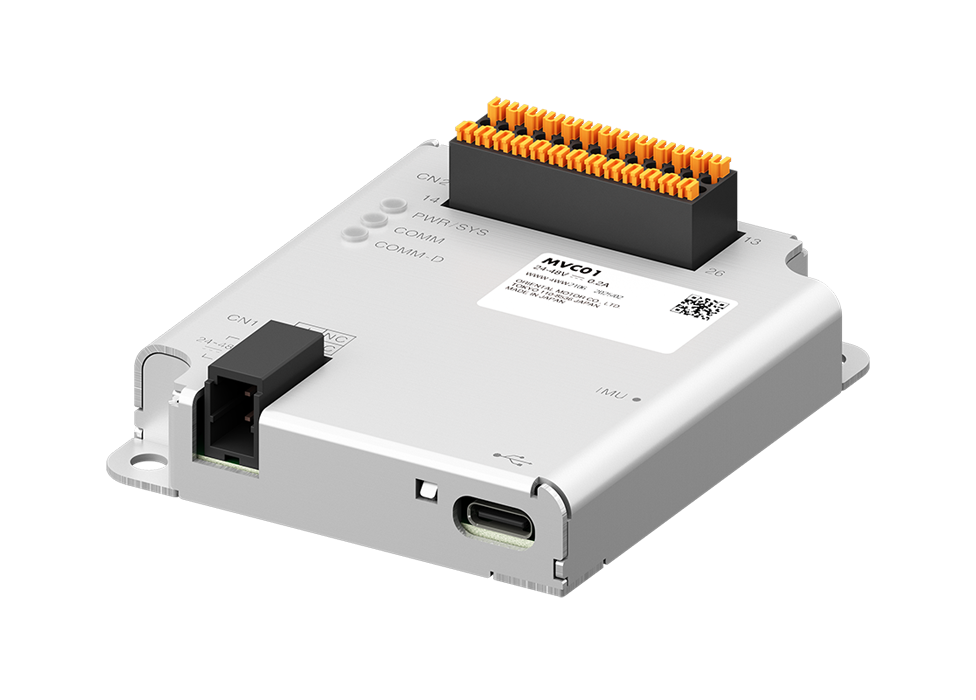
- Equipped With a Driving Control Function for AGV/AMR Transport Robots
- Support From Start-Up to Maintenance With Dedicated PC Software
- Output Gyro Odometry With Built-In IMU
- Can be Combined With BLV Series R type
Features | Mobile Robot Controller MVC01
- Mobile Robot Controller - Ensures Accurate Movement of Transport Robots
- Reduces the Burden of Software Development by Sharing the Role With Host Controllers
- Slip Detection Through Accurate Position Information Acquisition by IMU
- Compact Size for Easy Integration Into Design
- Free Support Software MVC Studio
- Support for Programming
- Products for Combination
Mobile Robot Controller - Ensures Accurate Movement of Transport Robots
- The mobile robot controller controls the motors of the transport robot based on commands from host controllers.
- By ascertaining the coordinates for driving on its own, it enables more accurate movement.
- Compared to direct control by host controllers, it can reduce the number of ROS nodes and self-written programs, contributing to a reduction in the burden of software design.
- The mobile robot controller can be combined with the brushless motor BLV Series R type.
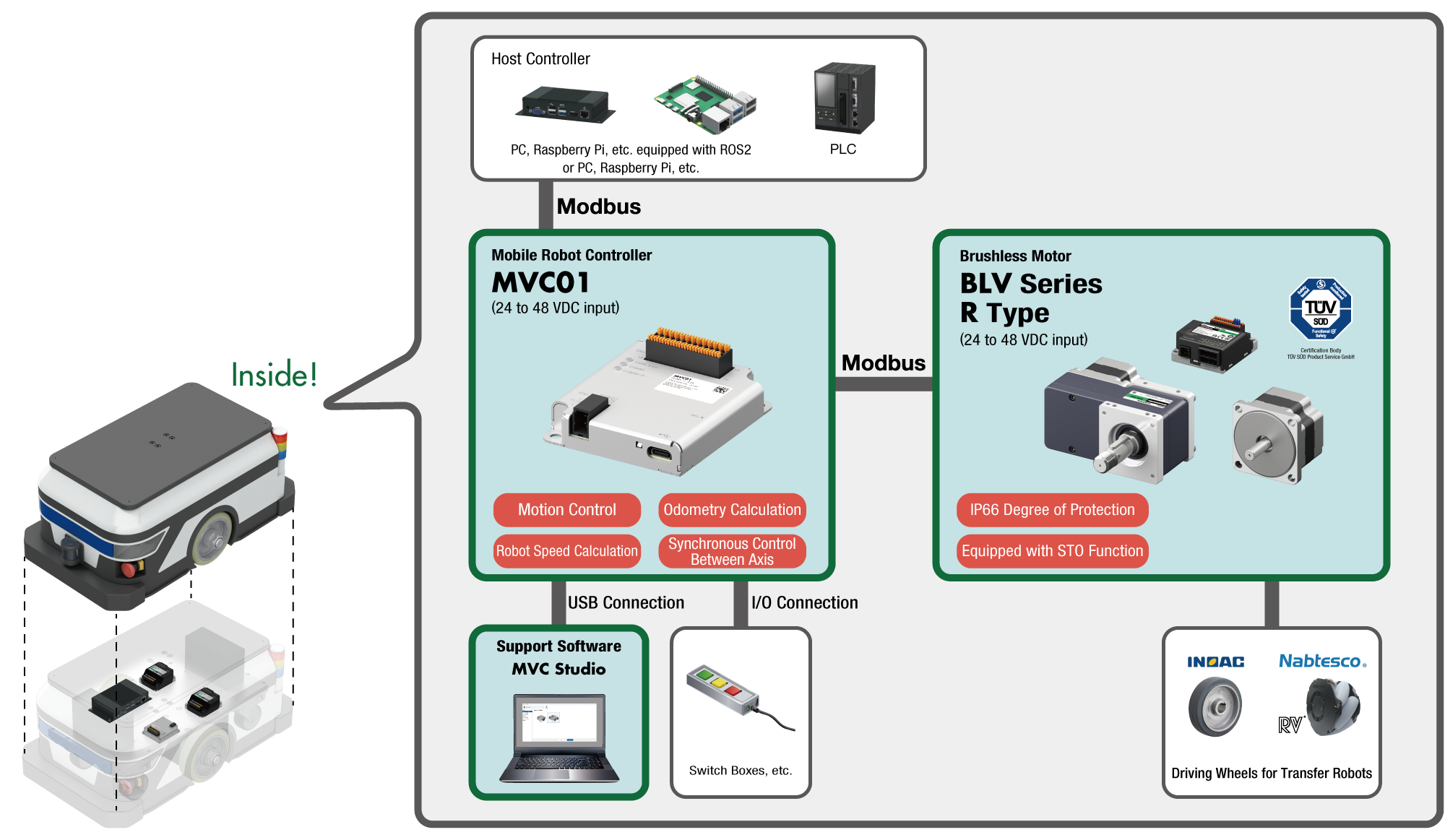
Reduces the Burden of Software Development by Sharing the Role With Host Controllers
Mobile robot controllers are equipped with driving control functions necessary for AGV/AMR driving. The mobile robot controller performs calculations for each wheel and synchronous control between axes, thus reducing the burden of software development and start-up time.
Modularized Driving Control Functions for Transport Robot (AGV/AMR)
| Controlled by Host Controllers Only | Controlled by "Host Controllers + Mobile Robot Controller" |
|---|---|
| Host controllers are responsible for both upper-level application and driving control application | [Role sharing] ・Driving control application → mobile robot controller in charge ・Upper-level application → host controller in charge |
| Large software design burden | Small software design burden |
Component Comparison (For AMR)
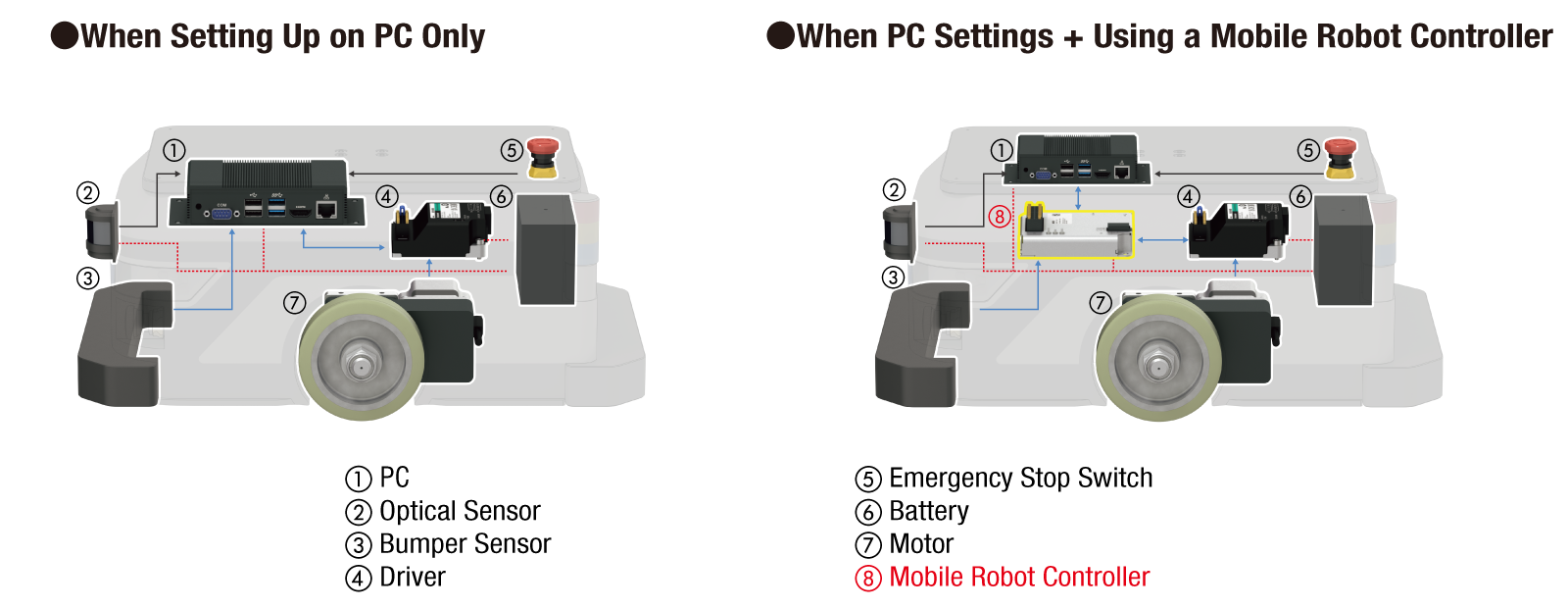
Application Comparison
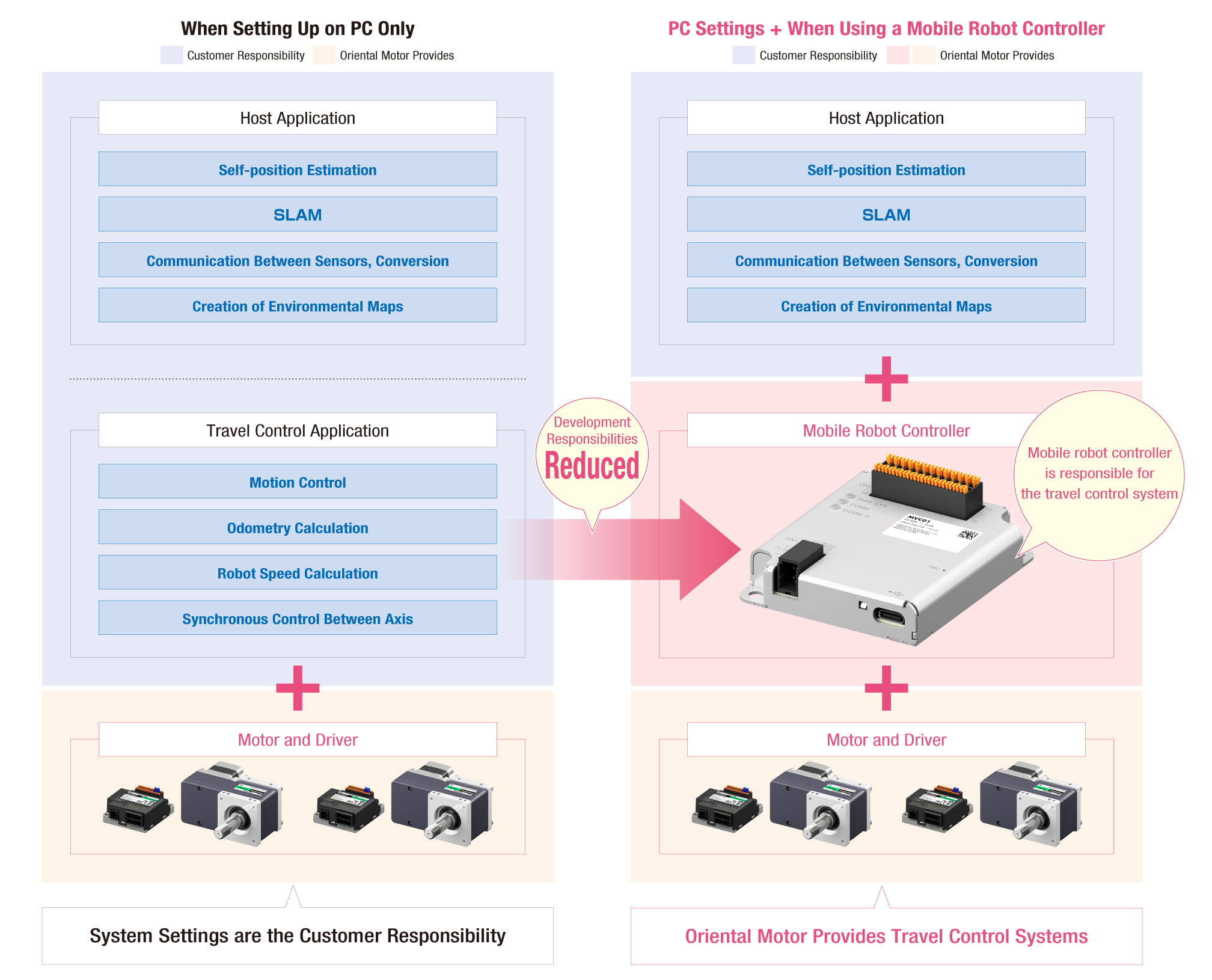
Improved Customizability of Wheels, Drive Systems, etc. Through Modularization of Driving Control Functions
If all software is developed in ROS, the ROS program must be changed when the mechanism is customized, such as when wheels are changed, which increases the burden of updating. By using MVC01 for the driving control part, even when wheels are changed, the settings on the host side remain the same and can be easily reconfigured in MVC Studio.
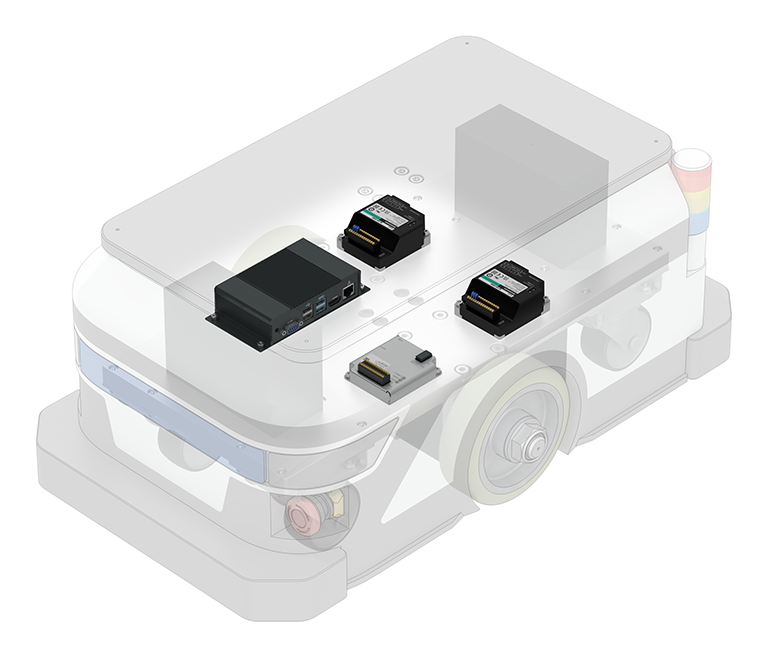
Customize the Robot


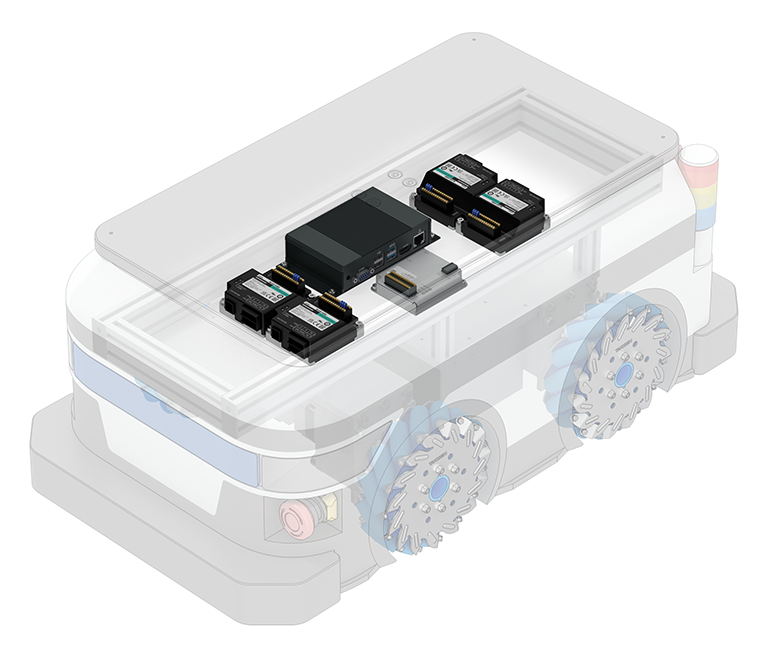
To Change the Wheel Configuration, Robot Size, etc., Simply Reconfigure MVC01
Slip Detection Through Accurate Position Information Acquisition by IMU
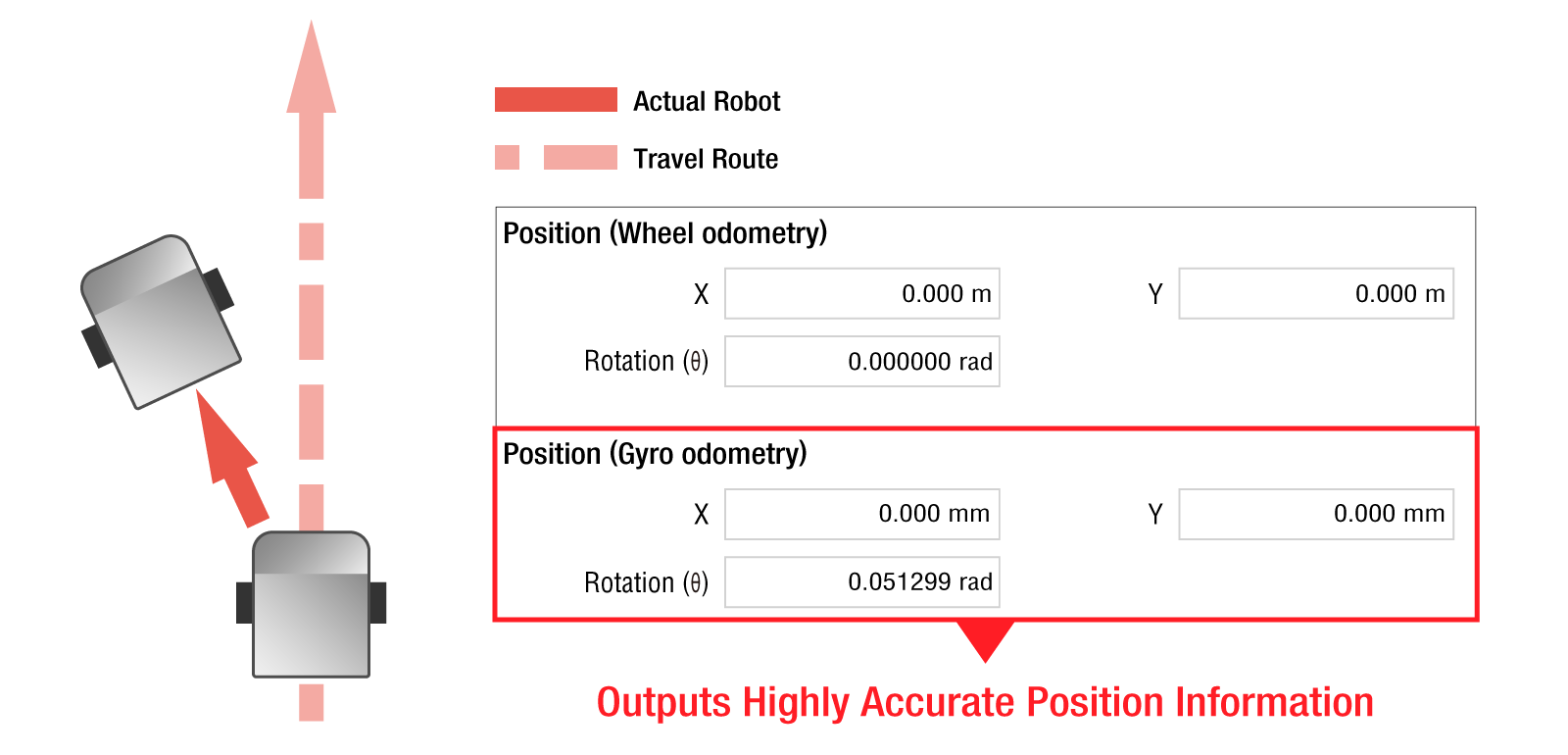
With a built-in IMU, the mobile robot controller can output position information calculated by gyro odometry.
Gyro odometry is a method of estimating position information from the encoder data of the IMU and motor.
When moving on uneven terrain, slippage can easily cause errors in the actual robot and position information, but the IMU can output more accurate position information.
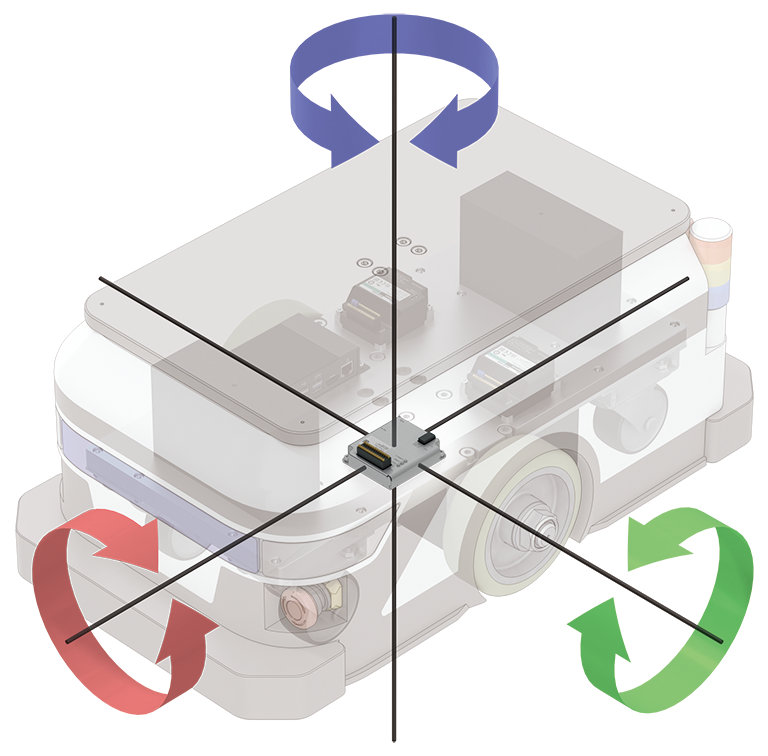
Inertial Measurement Unit (IMU)
A sensor that combines an acceleration sensor and a gyro sensor.
Detects 3-dimensional inertial motion (translation and rotation in direction of 3-axis cartesian).
Compact Size for Easy Integration Into Design
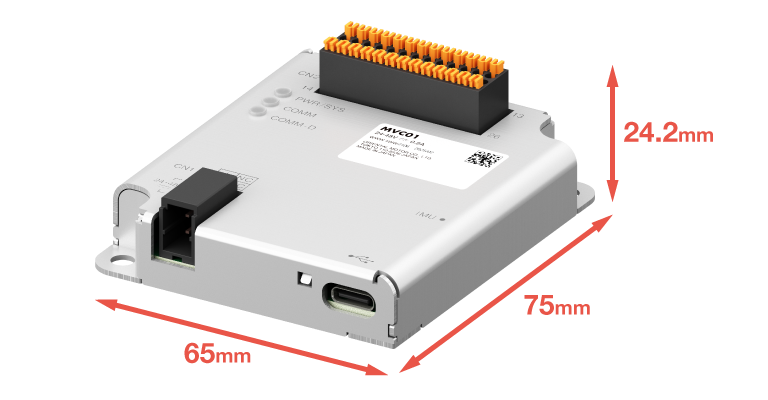
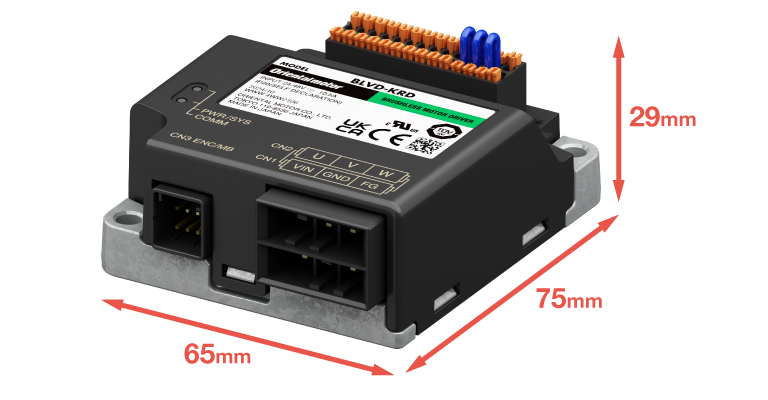
Compact size that fits into small spaces. It is equivalent in size to the BLV Series R type driver.
Mobile Robot Controller
Mass: 60 g
BLV Series R Type Driver
Mass: 120 g
Free Support Software MVC Studio
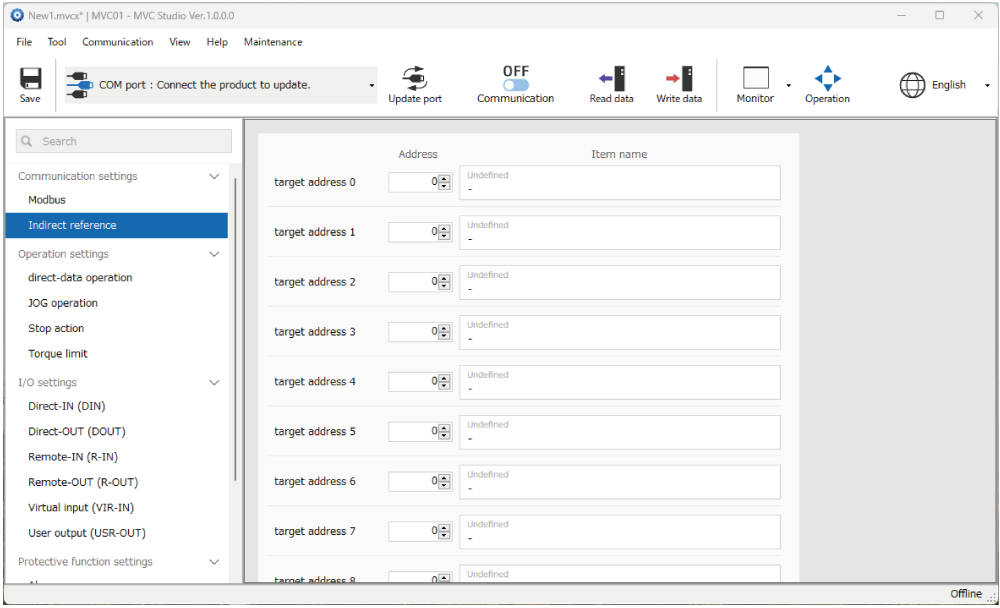
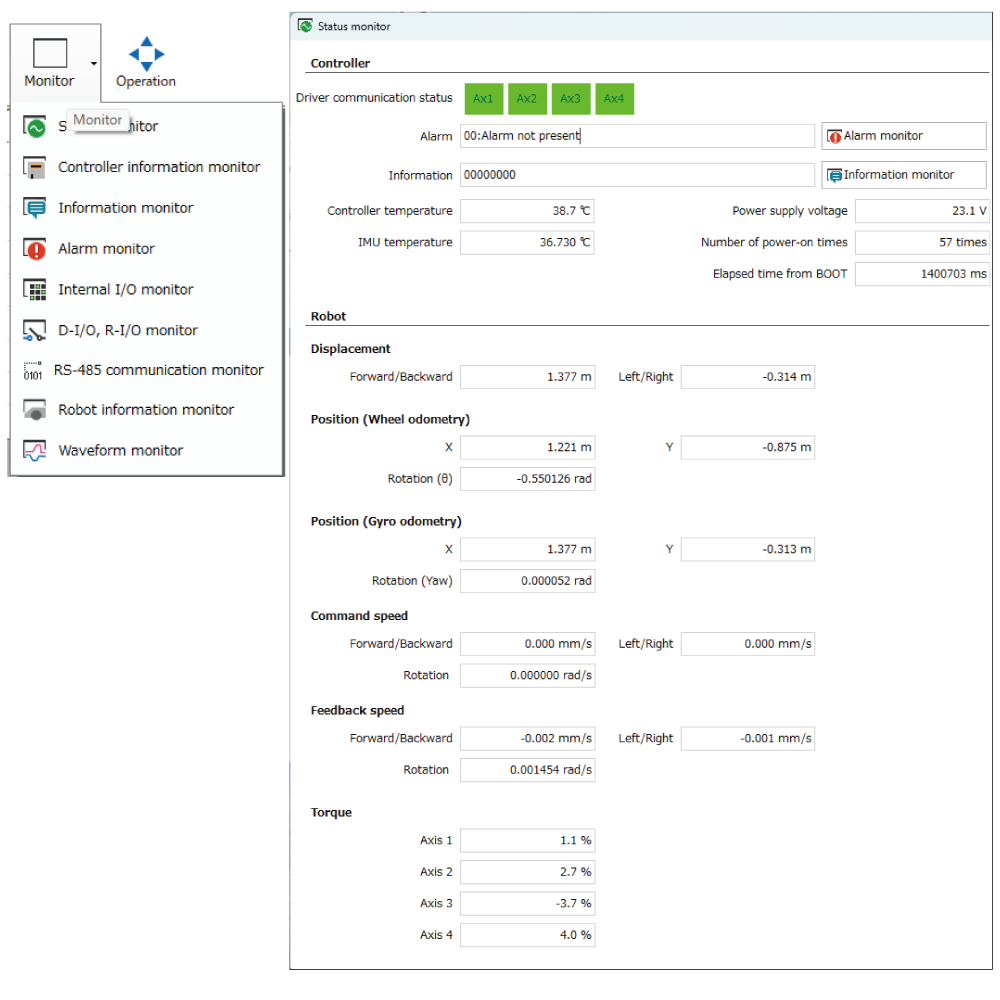
Software that supports from start-up to maintenance of the mobile robot controller is available. In addition to setting and editing various parameters, various statuses can be monitored. The software is available for free download.
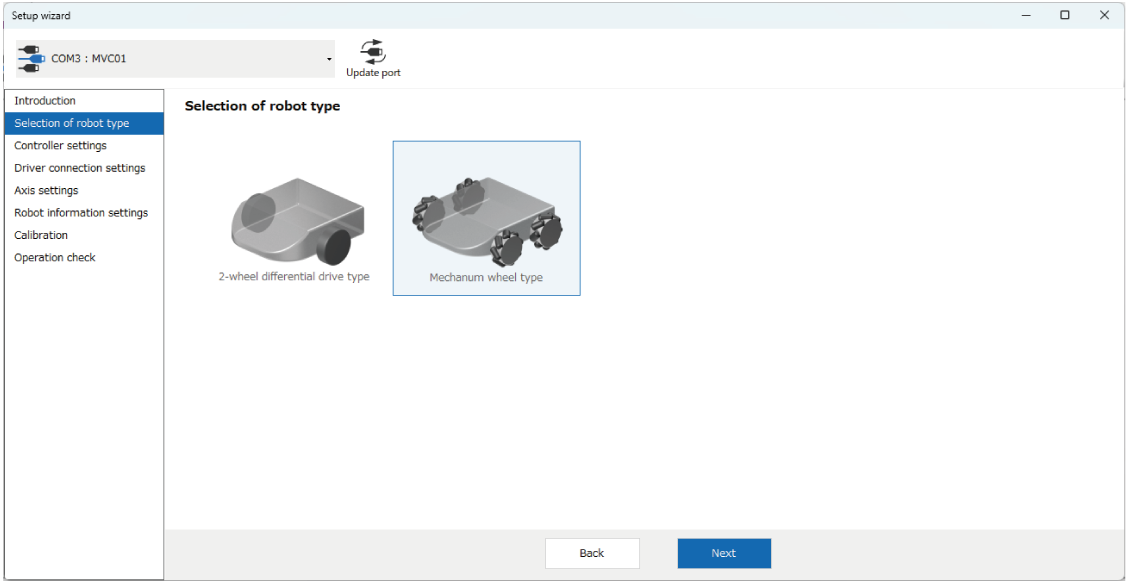
Follow the Guidance to Complete Initial Settings Without Getting Lost
A series of initial settings, such as selection of drive system (2-wheel drive, 4-wheel drive, etc.) and input of mechanism information, can be performed in a wizard format. By following the guidance and illustrated instructions, even first-time users can complete the settings in a short time.
Follow the Steps to Set Up
Follow the wizard menu to proceed with the initial settings of the robot.
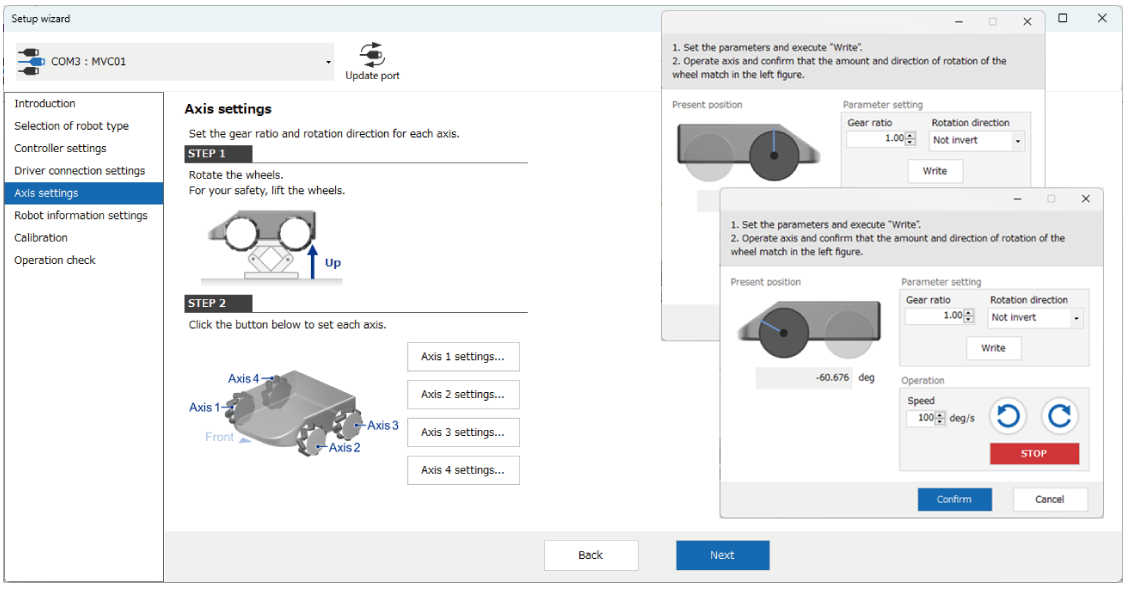
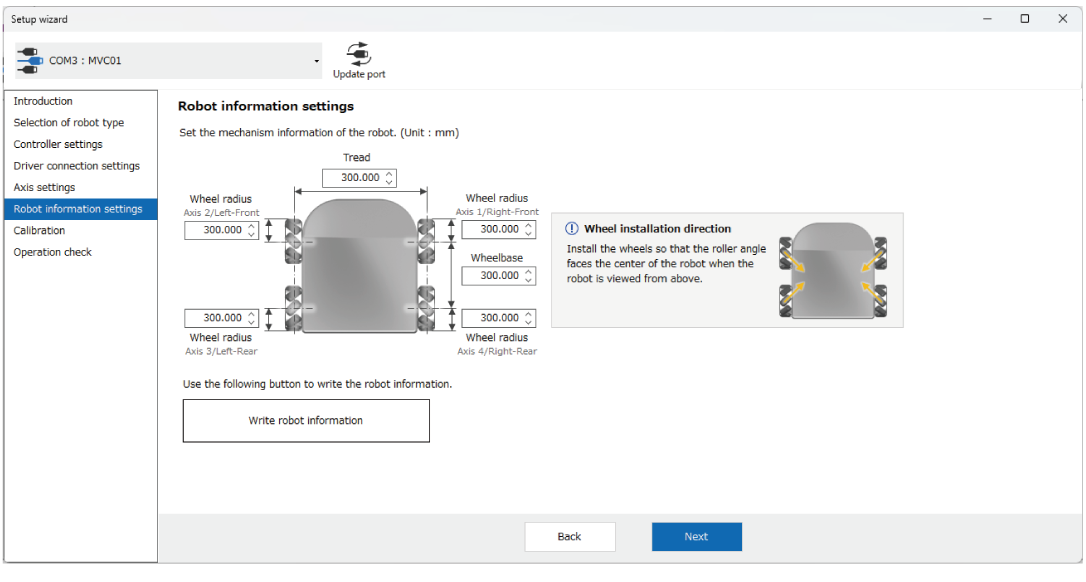
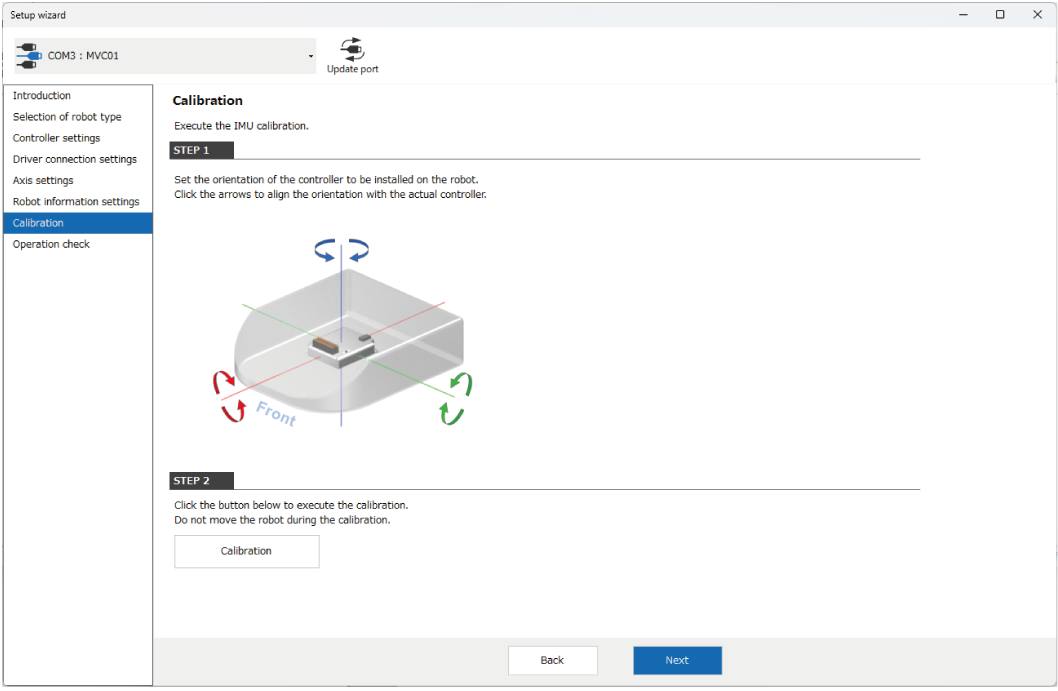
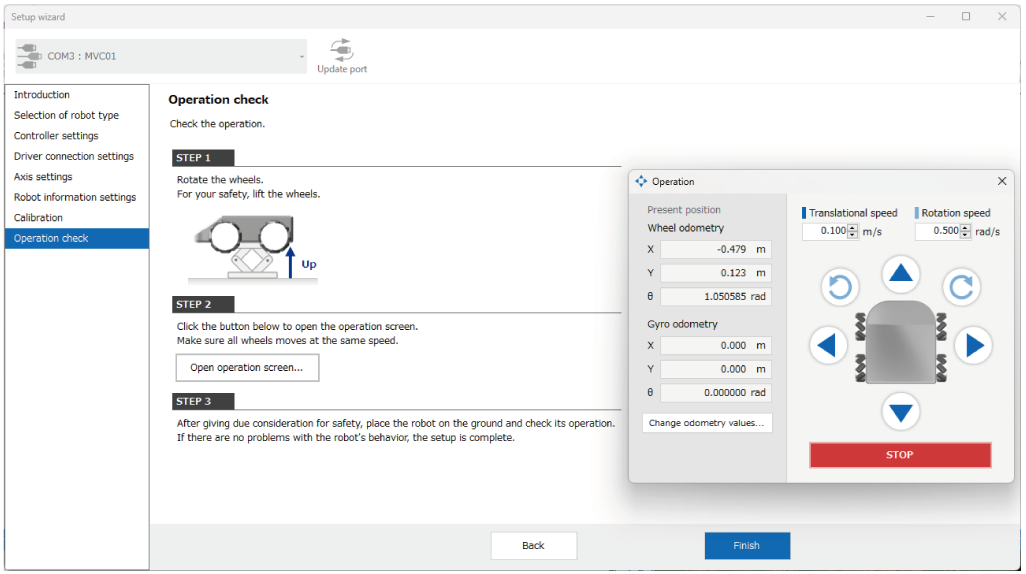
Parameter Setting and Monitoring Function for Start-Up and Maintenance
Support for Programming
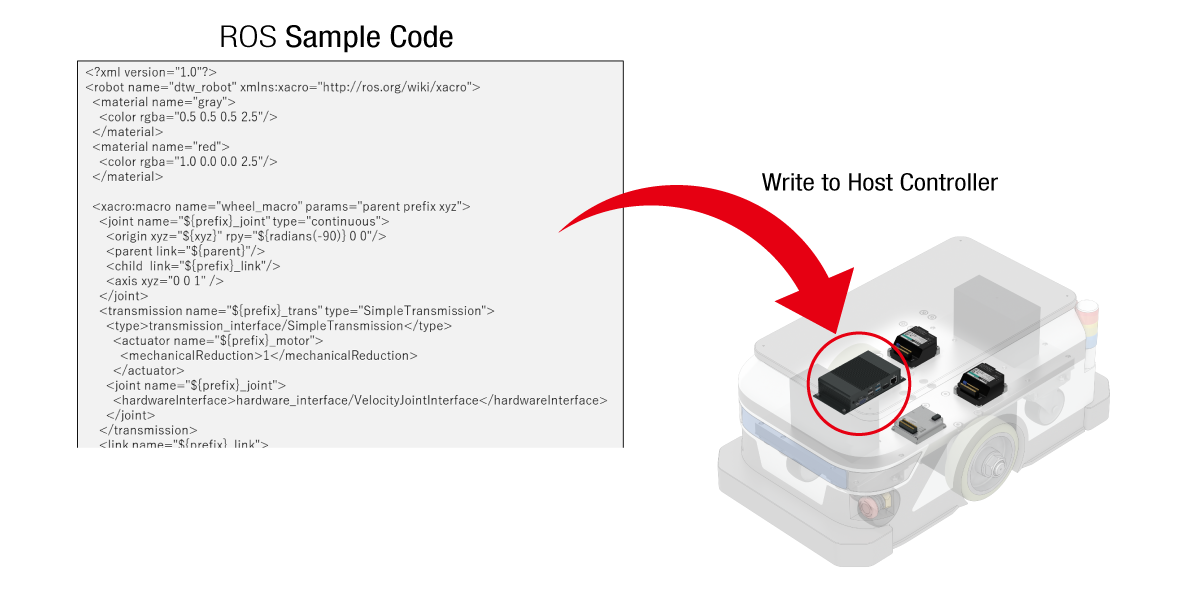
ROS nodes, manuals, and code samples for ROS2 are available. If concerned about controlling ROS for the first time and want to reduce the time required for program design, Oriental Motor can also create sample programs that include those for integration with a mobile robot controller.
Program Support Coverage
- General technical consultation on MVC01
- Support for configuring the environment including an OS when you want to control with Raspberry Pi, etc. (including ROS environment)
- Creating sample code to control MVC01 using a gamepad
- *Oriental Motor does not provide support for autonomous driving using external sensors (line follower or LiDAR).
Products for Combination
The motor can be combined with brushless motor BLV Series R type.
For the BLV Series R type, driving wheel motors that can be directly mounted on wheels are also available.
Brushless Motor
Narrow down Products
